
Budget Tracker
A web application that helps users manage their finances by tracking income and expenses.
Project Showcase
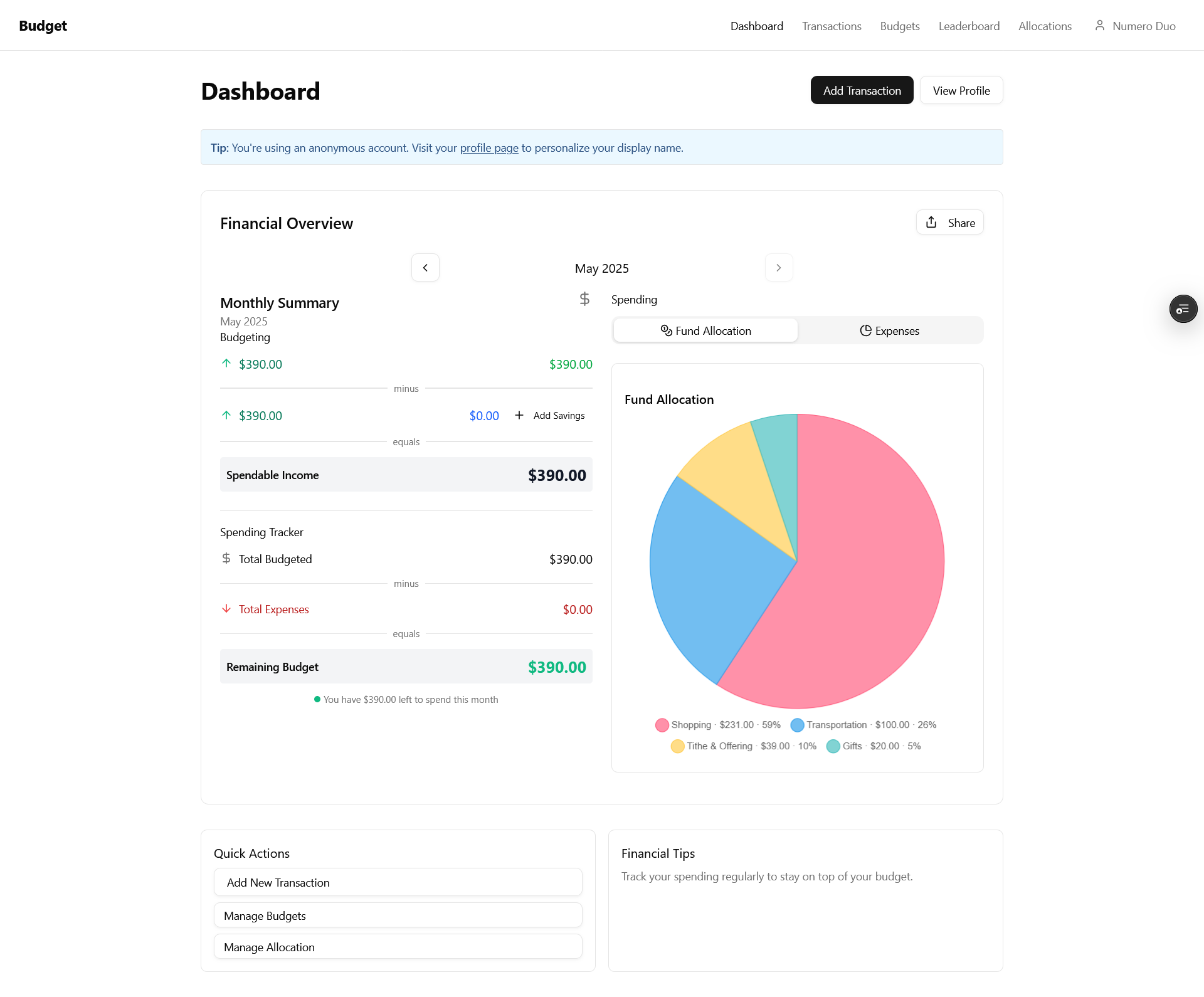
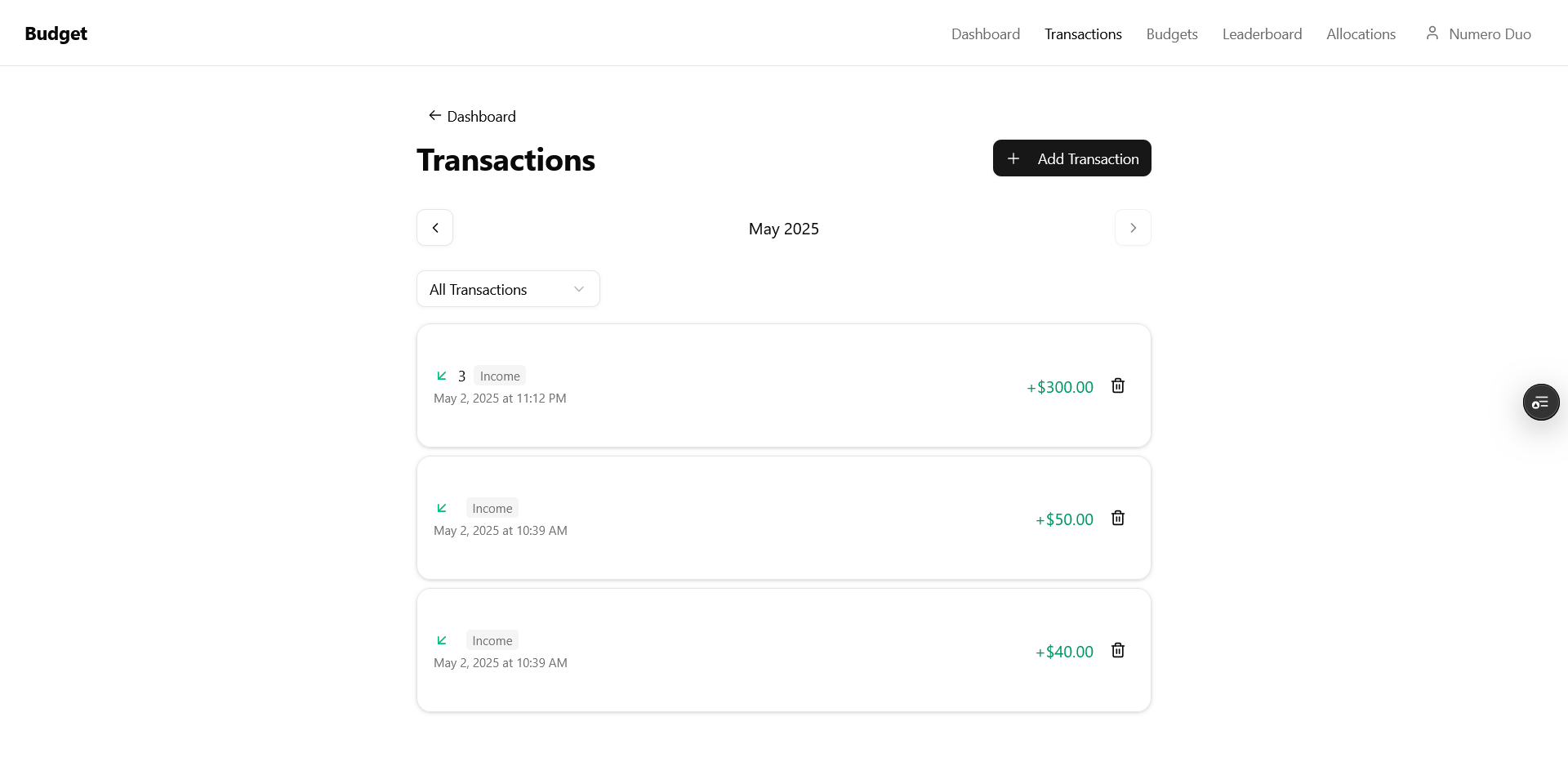
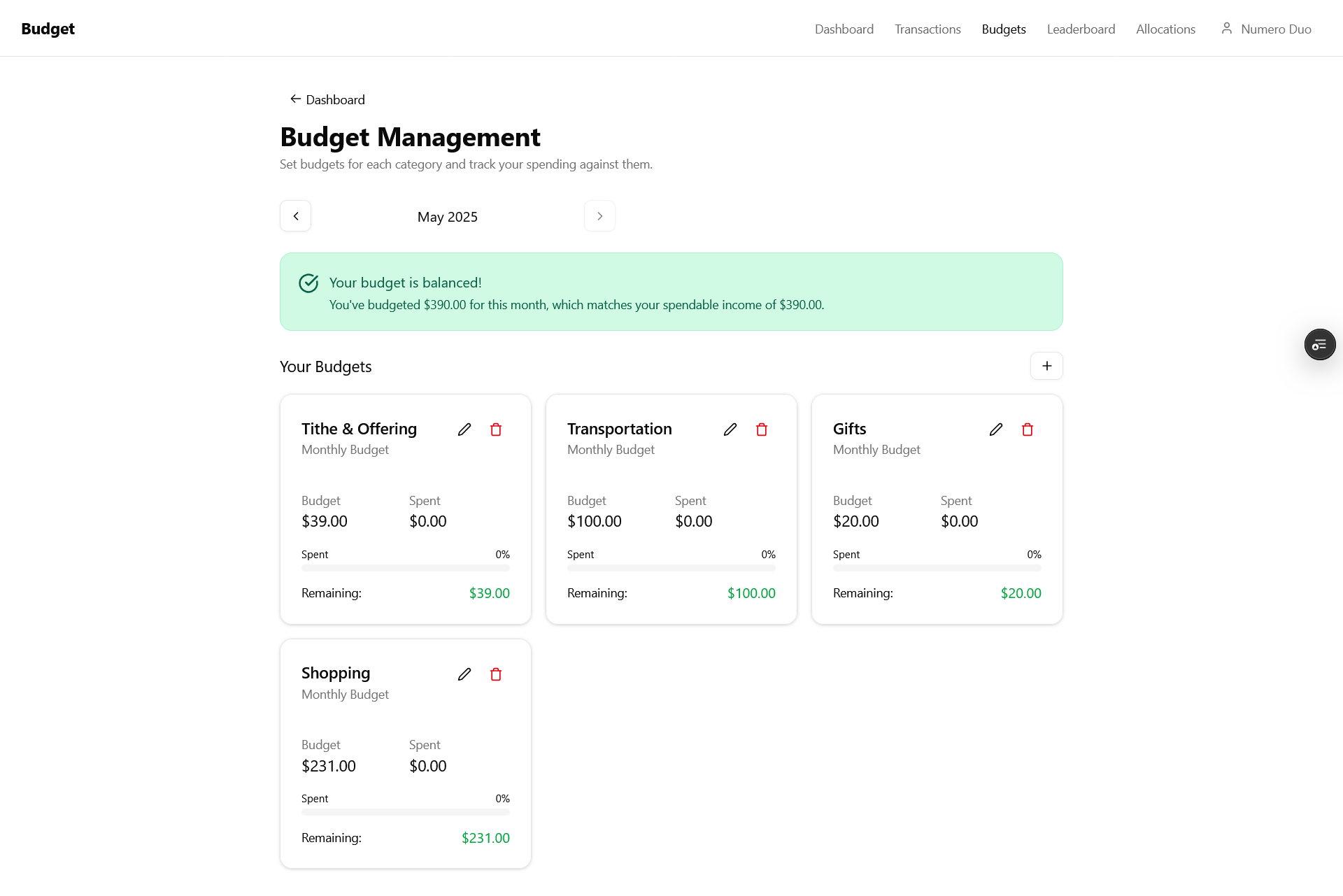
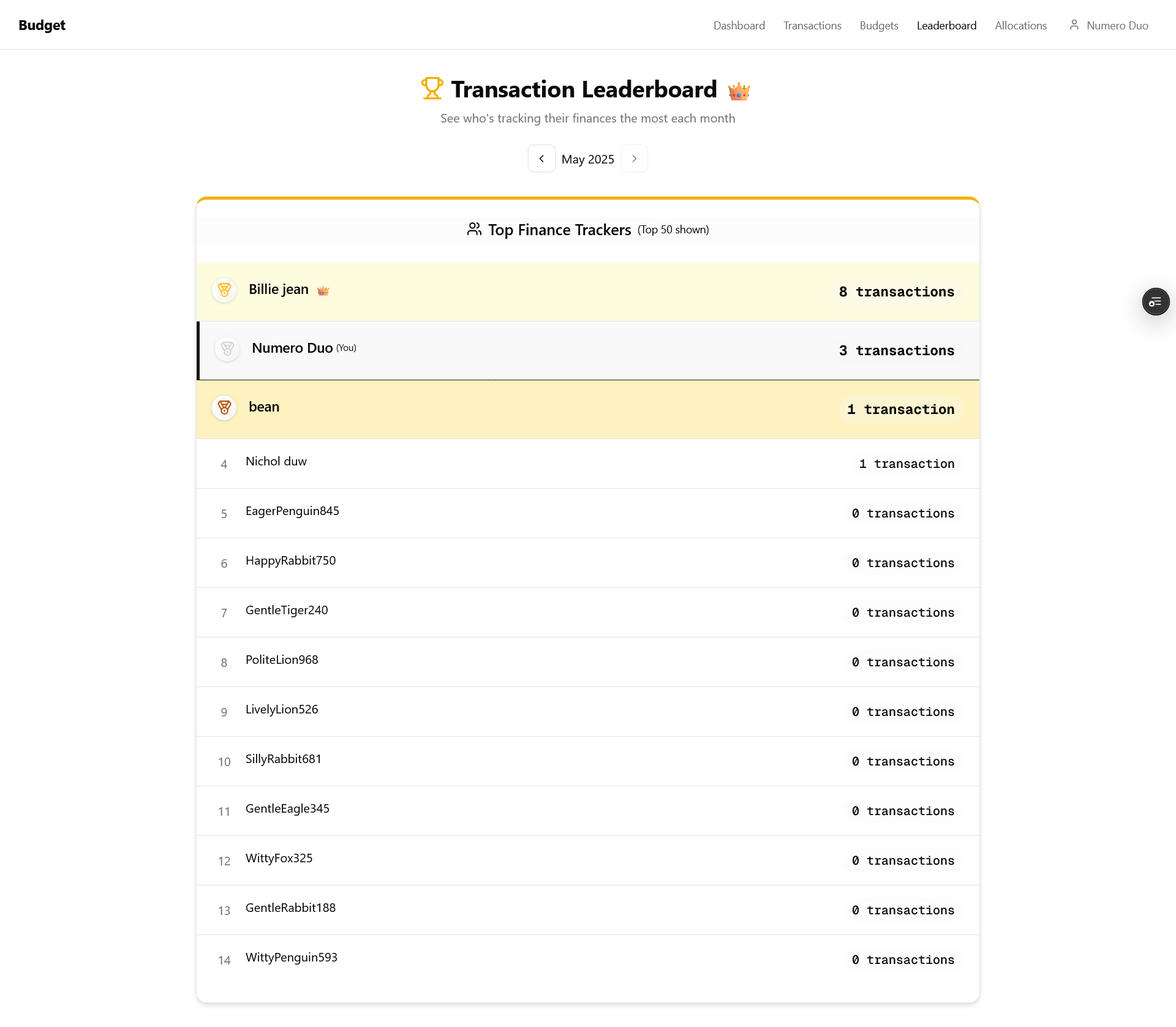
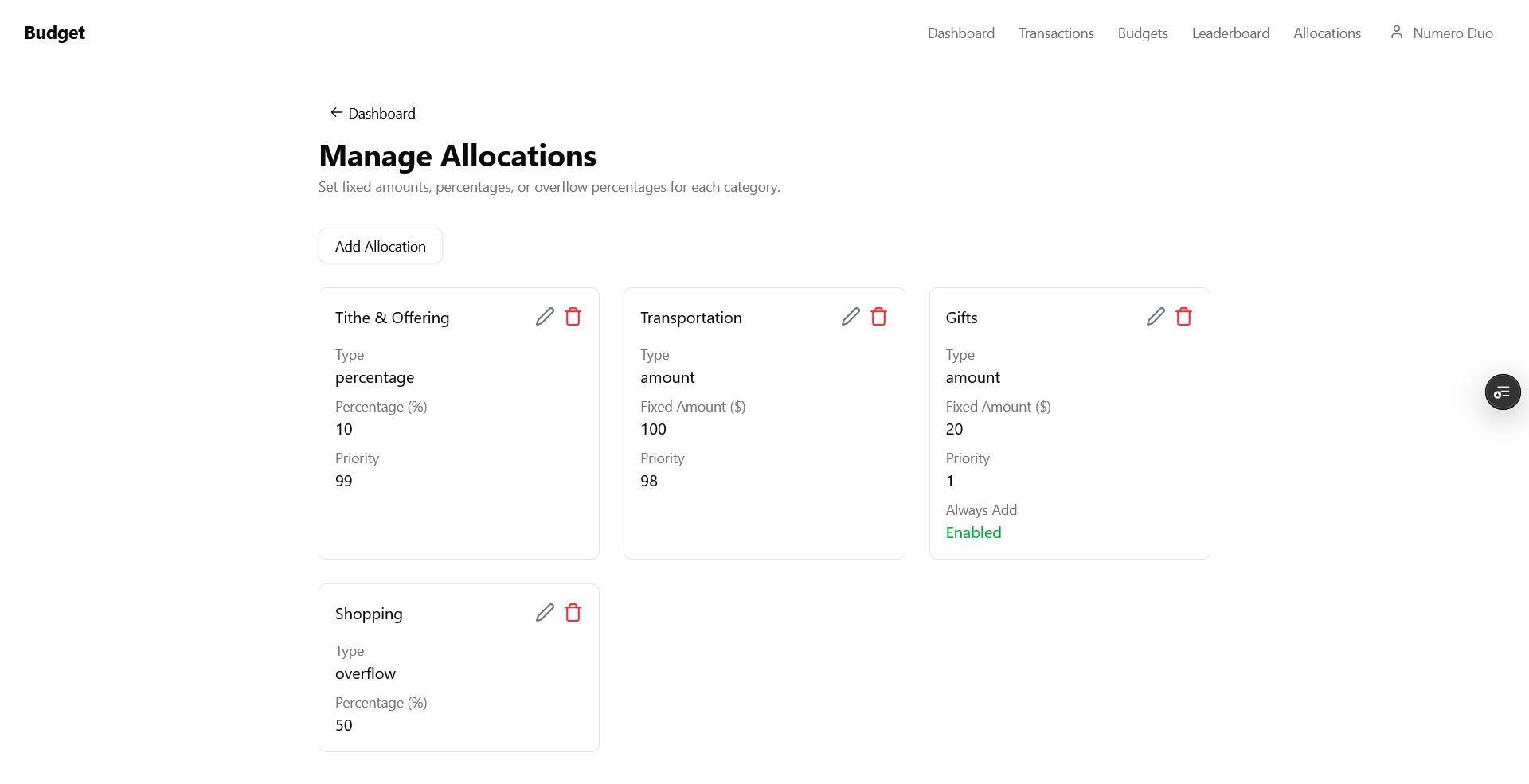
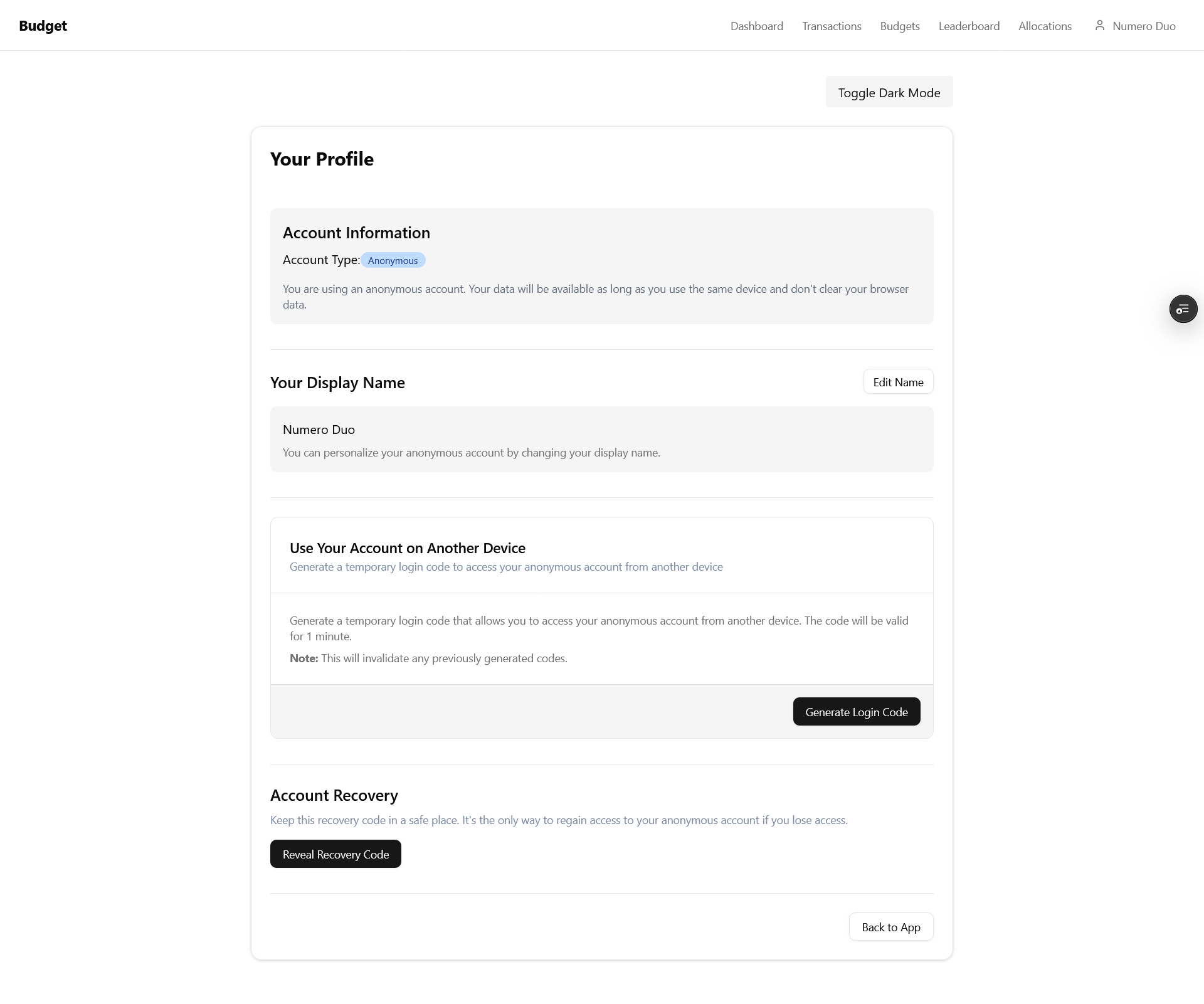
🔍 Feature Highlight: Automatic Budget Allocation
Automatically distribute your income across different budget categories based on your financial goals.

Technologies Used
Contribution Stats
Commits
0
Files Changed
0
Additions
+0
Deletions
-0
Key Features
- ✓ Add and categorize expenses
- ✓ Visualize spending with charts
- ✓ Dark mode for reduced eye strain
- ✓ Automatic budget allocation for income
About the Project
This project is a fork of Original Budget Tracker. The original project by my friend that inspired this fork.
My fork adds dark mode support and a new automatic budget allocation feature to make financial planning easier.
My Improvements & Code Changes
Dark Mode CSS Variables
Added a responsive dark mode with proper theme detection and toggle functionality.
// Added CSS variables for theme colors instead of hard-coded values
:root {
--background: oklch(1 0 0);
--foreground: oklch(0.145 0 0);
--card: oklch(1 0 0);
--card-foreground: oklch(0.145 0 0);
--popover: oklch(1 0 0);
--popover-foreground: oklch(0.145 0 0);
--primary: oklch(0.205 0 0);
--primary-foreground: oklch(0.985 0 0);
--secondary: oklch(0.97 0 0);
--secondary-foreground: oklch(0.205 0 0);
--muted: oklch(0.97 0 0);
--muted-foreground: oklch(0.556 0 0);
--muted-text: oklch(63.36% 0.044 264.88);
--accent: oklch(0.97 0 0);
--accent-foreground: oklch(0.205 0 0);
--destructive: oklch(0.577 0.245 27.325);
--border: oklch(0.922 0 0);
--input: oklch(0.922 0 0);
--ring: oklch(0.708 0 0);
}


.dark {
--background: oklch(0.145 0 0);
--foreground: oklch(0.985 0 0);
--card: oklch(0.205 0 0);
--card-foreground: oklch(0.985 0 0);
--popover: oklch(0.205 0 0);
--popover-foreground: oklch(0.985 0 0);
--primary: oklch(0.922 0 0);
--primary-foreground: oklch(0.205 0 0);
--secondary: oklch(0.269 0 0);
--secondary-foreground: oklch(0.985 0 0);
--muted: oklch(0.269 0 0);
--muted-foreground: oklch(0.708 0 0);
--muted-text: oklch(73.59% 0.041 264.37);
--accent: oklch(0.269 0 0);
--accent-foreground: oklch(0.985 0 0);
--destructive: oklch(0.704 0.191 22.216);
--border: oklch(1 0 0 / 10%);
--input: oklch(1 0 0 / 15%);
--ring: oklch(0.556 0 0);
}
Dark Mode Toggle Functionality
Added a dark mode toggle switch to the application.
'use client';

import { useEffect, useState } from 'react';

export function DarkModeToggle() {
// Initialize dark mode state as null to avoid SSR issues
const [isDarkMode, setIsDarkMode] = useState<boolean | null>(null);

useEffect(() => {
// Determine the initial theme after the component mounts
const storedPreference = localStorage.getItem('theme');
if (storedPreference) {
  setIsDarkMode(storedPreference === 'dark');
} else {
  // Fallback to system preference
  const systemPrefersDark = window.matchMedia('(prefers-color-scheme: dark)').matches;
  setIsDarkMode(systemPrefersDark);
}
}, []);

const toggleDarkMode = () => {
setIsDarkMode((prev) => {
  const newMode = !prev;
  if (newMode) {
    document.documentElement.classList.add('dark');
    localStorage.setItem('theme', 'dark');
  } else {
    document.documentElement.classList.remove('dark');
    localStorage.setItem('theme', 'light');
  }
  return newMode;
});
};

useEffect(() => {
// Apply the theme only when isDarkMode is not null
if (isDarkMode !== null) {
  if (isDarkMode) {
    document.documentElement.classList.add('dark');
    localStorage.setItem('theme', 'dark');
  } else {
    document.documentElement.classList.remove('dark');
    localStorage.setItem('theme', 'light');
  }
}
}, [isDarkMode]);

if (isDarkMode === null) {
// Optionally, render nothing or a loading state until the theme is determined
return null;
}

return (
<button
  type="button"
  onClick={toggleDarkMode}
  className="px-4 py-2 bg-secondary text-secondary-foreground rounded"
>
  Toggle {isDarkMode ? 'Light' : 'Dark'} Mode
</button>
);
}
React Components for Budget Allocation
Built React components for the new automatic budget allocation feature.
import { CategorySelect } from '@/components/CategorySelect';
import { evaluateExpression } from '@/lib/evaluateExpressions';
import type { Allocation } from '@/types/schema';
import { api } from '@workspace/backend/convex/_generated/api';
import { useSessionMutation, useSessionQuery } from 'convex-helpers/react/sessions';
import { useEffect, useState } from 'react';

interface AddAllocationFormProps {
onSuccess: () => void;
initialAllocation?: Allocation;
allocations?: Allocation[];
}

export function AddAllocationForm({ onSuccess, initialAllocation, allocations: propAllocations }: AddAllocationFormProps) {
const [newAllocation, setNewAllocation] = useState<Allocation>({
_id: '',
category: '',
type: 'amount',
value: 0,
priority: 1,
alwaysAdd: false,
});

const fetchedAllocations = useSessionQuery(api.allocation.getAllocations);
const allocations = propAllocations || fetchedAllocations || [];
const upsertAllocation = useSessionMutation(api.allocation.upsertAllocation);

useEffect(() => {
if (initialAllocation) setNewAllocation(initialAllocation);
}, [initialAllocation]);

const handleInputChange = (key: keyof Allocation, value: any) => {
setNewAllocation((prev) => ({ ...prev, [key]: value }));
};

const handleSubmit = async (e: React.FormEvent) => {
e.preventDefault();
const value = evaluateExpression(newAllocation.value.toString());
if (!newAllocation.category || value === null || value <= 0) return alert('Invalid input.');

if (['percentage', 'overflow'].includes(newAllocation.type)) {
  const total = allocations
    .filter((a) => ['percentage', 'overflow'].includes(a.type))
    .reduce((sum, a) => sum + a.value, 0);
  if (total + value > 100) return alert('Total % exceeds 100');
}

if (newAllocation.priority < 1 || newAllocation.priority > 99)
  return alert('Priority must be 1–99.');

if (
  newAllocation.type !== 'overflow' &&
  allocations.some((a) => a.priority === newAllocation.priority && a._id !== newAllocation._id)
) {
  return alert('Priority conflict.');
}

try {
  await upsertAllocation({
    ...newAllocation,
    value,
  });
  onSuccess();
} catch (err) {
  console.error(err);
}
};

return (
<form onSubmit={handleSubmit} className="mb-6 p-4 border rounded-md bg-card text-card-foreground">
  <div className="grid grid-cols-1 sm:grid-cols-2 gap-4">
    <div>
      {!initialAllocation && <label htmlFor="category">Category</label>}
      {initialAllocation ? (
        <p className="font-medium mt-8">{newAllocation.category}</p>
      ) : (
        <CategorySelect
          value={newAllocation.category}
          onChange={(v) => handleInputChange('category', v)}
          className="w-full border rounded px-3 py-2 bg-input text-foreground"
        />
      )}
    </div>

    <div>
      <label htmlFor="type">Type</label>
      <select
        id="type"
        value={newAllocation.type}
        onChange={(e) => handleInputChange('type', e.target.value)}
        className="w-full border rounded px-3 py-2"
      >
        <option value="amount">Fixed Amount</option>
        <option value="percentage">Percentage</option>
        <option value="overflow">Overflow</option>
      </select>
    </div>

    <div>
      <label htmlFor="value">Value</label>
      <input
        type="text"
        value={newAllocation.value}
        onChange={(e) => handleInputChange('value', e.target.value)}
        className="w-full border rounded px-3 py-2"
        placeholder="e.g. 500 or 300+50"
      />
    </div>

    {newAllocation.type !== 'overflow' && (
      <div>
        <label htmlFor="priority">Priority</label>
        <input
          type="number"
          value={newAllocation.priority}
          onChange={(e) => handleInputChange('priority', Math.max(1, Math.min(99, +e.target.value)))}
          className="w-full border rounded px-3 py-2"
          placeholder="1–99"
        />
      </div>
    )}
  </div>

  <div className="flex items-center justify-between mt-4 gap-4">
    <button type="submit" className="h-10 px-4 py-2 bg-primary text-primary-foreground rounded">
      {newAllocation._id ? 'Update Allocation' : 'Add Allocation'}
    </button>

    {newAllocation.type === 'amount' && (
      <button
        type="button"
        className={`h-10 px-4 py-2 rounded ${
          newAllocation.alwaysAdd ? 'bg-primary text-white' : 'bg-muted text-muted-foreground'
        }`}
        onClick={() => handleInputChange('alwaysAdd', !newAllocation.alwaysAdd)}
      >
        {newAllocation.alwaysAdd ? 'Always Add On' : 'Enable Always Add'}
      </button>
    )}
  </div>
</form>
);
}
Allocation mutations and queries
Implemented Convex queries and mutations for managing budget allocations.
// Import helpers and types
import { SessionIdArg } from 'convex-helpers/server/sessions';
import { mutation, query } from './_generated/server';
import { v } from 'convex/values';
import { getAuthUser } from '../modules/auth/getAuthUser';

// Allocation type definition
interface Allocation {
userId: string;
category: string;
type: 'amount' | 'percentage' | 'overflow';
value: number;
priority?: number;
}

// Get all allocations for current user
export const getAllocations = query({
args: { ...SessionIdArg },
handler: async (ctx, args) => {
const user = await getAuthUser(ctx, args);
if (!user) throw new Error('Unauthorized');
return await ctx.db.query('allocations')
  .filter(q => q.eq(q.field('userId'), user._id))
  .collect();
},
});

// Create or update a user's allocation
export const upsertAllocation = mutation({
args: {
...SessionIdArg,
category: v.string(),
type: v.union(v.literal('amount'), v.literal('percentage'), v.literal('overflow')),
value: v.float64(),
priority: v.float64(),
alwaysAdd: v.optional(v.boolean()),
},
handler: async (ctx, { sessionId, ...rest }) => {
const user = await getAuthUser(ctx, { sessionId });
if (!user) throw new Error('Unauthorized');

const existing = await ctx.db.query('allocations')
  .filter(q =>
    q.and(
      q.eq(q.field('userId'), user._id),
      q.eq(q.field('category'), rest.category)
    )
  ).first();

const allocationData = { userId: user._id, ...rest };
existing
  ? await ctx.db.patch(existing._id, allocationData)
  : await ctx.db.insert('allocations', allocationData);
},
});

// Delete allocation for a category
export const deleteAllocation = mutation({
args: { ...SessionIdArg, category: v.string() },
handler: async (ctx, { sessionId, category }) => {
const user = await getAuthUser(ctx, { sessionId });
if (!user) throw new Error('Unauthorized');

const existing = await ctx.db.query('allocations')
  .filter(q =>
    q.and(
      q.eq(q.field('userId'), user._id),
      q.eq(q.field('category'), category)
    )
  ).first();

if (existing) await ctx.db.delete(existing._id);
},
});

// Split income based on user's allocations
export const splitIncomeByAllocations = mutation({
args: { ...SessionIdArg, income: v.number() },
handler: async (ctx, { sessionId, income }) => {
const user = await getAuthUser(ctx, { sessionId });
if (!user) throw new Error('Unauthorized');

const allocations = await ctx.db.query('allocations')
  .filter(q => q.eq(q.field('userId'), user._id))
  .collect();

const year = new Date().getFullYear();
const month = new Date().getMonth();
const budgets = await ctx.db.query('budgets')
  .withIndex('by_userId_yearMonth', q =>
    q.eq('userId', user._id).eq('year', year).eq('month', month)
  ).collect();

const budgetMap = Object.fromEntries(budgets.map(b => [b.category, b.amount]));
const result: Record<string, number> = {};
let remaining = income;

const sorted = allocations.sort((a, b) => (b.priority || 0) - (a.priority || 0));
const overflows = sorted.filter(a => a.type === 'overflow');

for (const a of sorted) {
  const { category, type, value, alwaysAdd } = a;
  const current = budgetMap[category] || 0;

  if (type === 'amount') {
    const toAdd = alwaysAdd
      ? Math.min(value, remaining)
      : current < value
      ? Math.min(value - current, remaining)
      : 0;
    result[category] = (result[category] || 0) + toAdd;
    remaining -= toAdd;
  }

  if (type === 'percentage') {
    const percentAmt = Math.min((value / 100) * income, remaining);
    result[category] = percentAmt;
    remaining -= percentAmt;
  }

  if (remaining <= 0) break;
}

for (const o of overflows) {
  if (remaining <= 0) break;
  const overflowAmt = (o.value / 100) * remaining;
  result[o.category] = (result[o.category] || 0) + overflowAmt;
  remaining -= overflowAmt;
}

return result;
},
});
Implementation Details
In this project, I've focused on enhancing the user experience and adding functionality that makes the budget tracker more powerful and useful for daily financial management. Below are some of the key implementation details:
Dark Mode Implementation
The original project used hard-coded CSS colors throughout the application, making it difficult to implement a dark mode. I refactored the CSS structure to use CSS variables instead, creating a consistent theming system that supports both light and dark modes. The dark mode can be toggled manually. The theme selection is persisted in localStorage to maintain the user's preference across visits.
Automatic Budget Allocation Feature
I added a completely new page that allows users to set up rules for automatically allocating their income to different budget categories. This includes support for both fixed amounts and percentage-based allocations. Users can create, edit, and save their allocation rules, making it easier to consistently budget their income according to their financial goals. The system also provides a visual breakdown of the allocations to help users understand how their income is distributed.
CSS Architecture Improvements
Beyond just adding dark mode, I completely restructured the CSS architecture to improve maintainability. I replaced direct color values with semantic variables (like --text-primary instead of #333333) throughout the application, making future theming changes much simpler.
Convex Database Integration
I integrated Convex as the database solution, which provided real-time synchronization capabilities. This allowed for instant updates across devices when users make changes to their budget items or allocations.