
CustomTkinter To-Do List Application
A feature-rich task management application built with Python and CustomTkinter that allows users to organize, filter, and track tasks with customizable categories and priorities.
Project Showcase
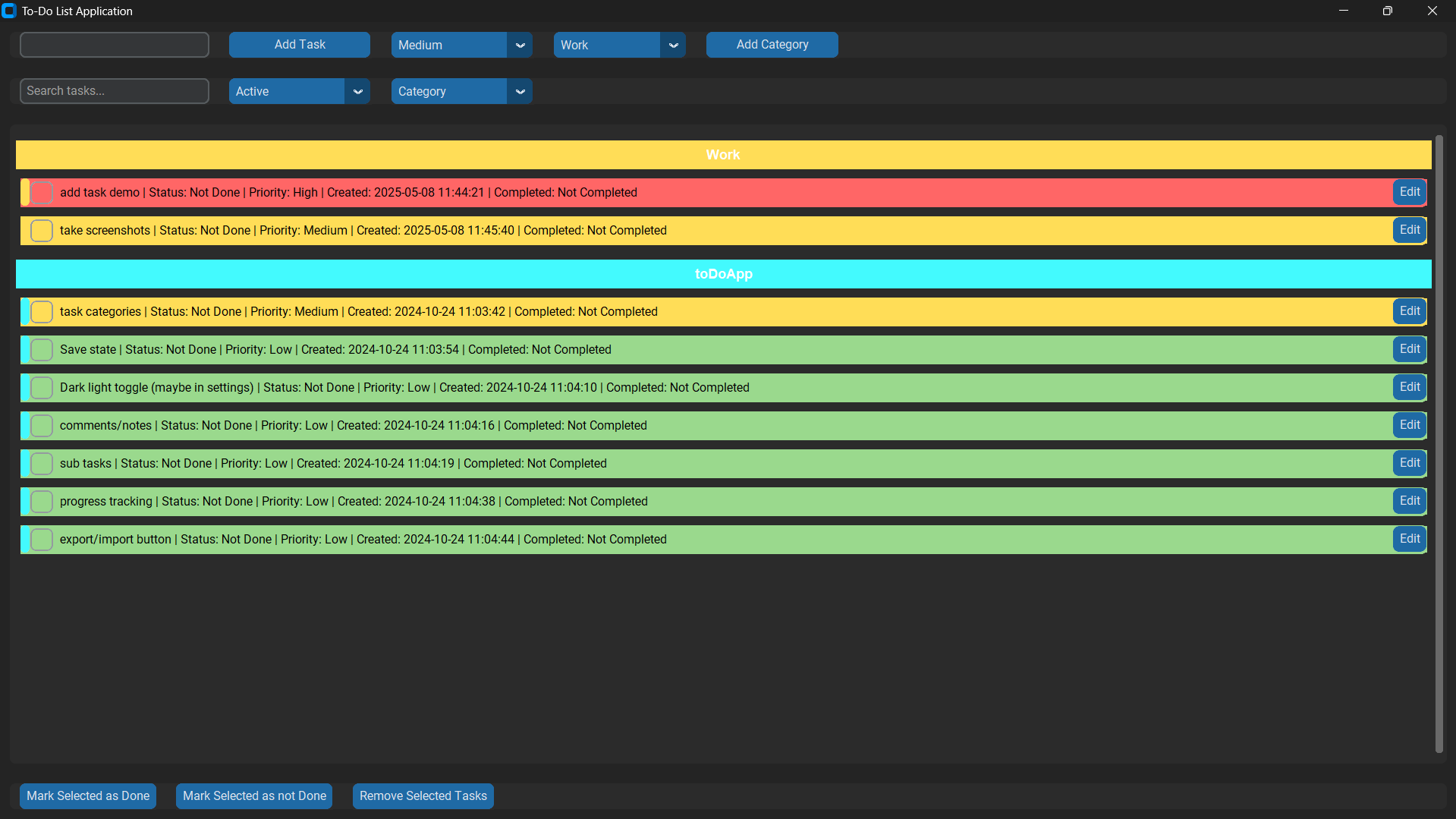
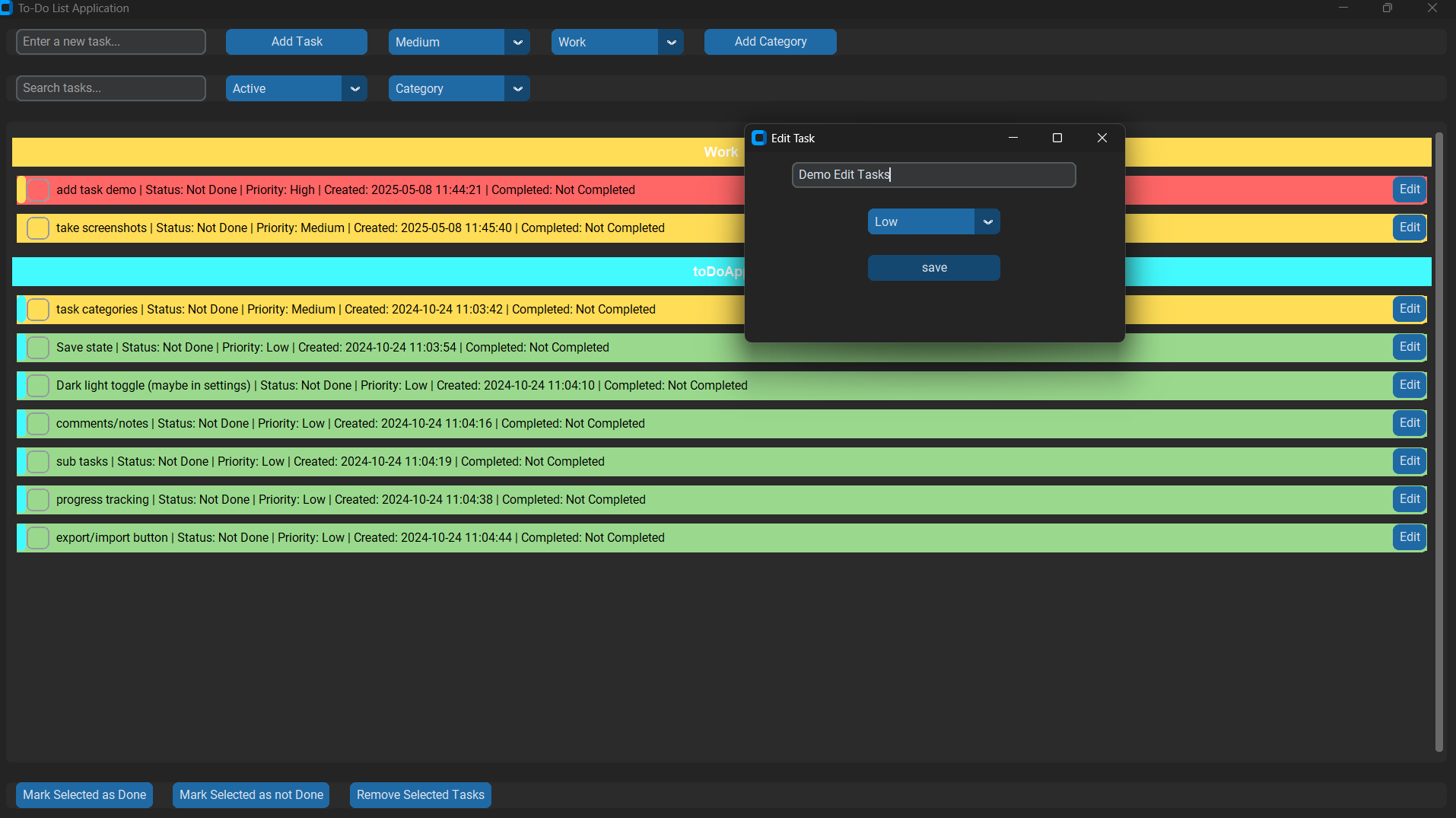
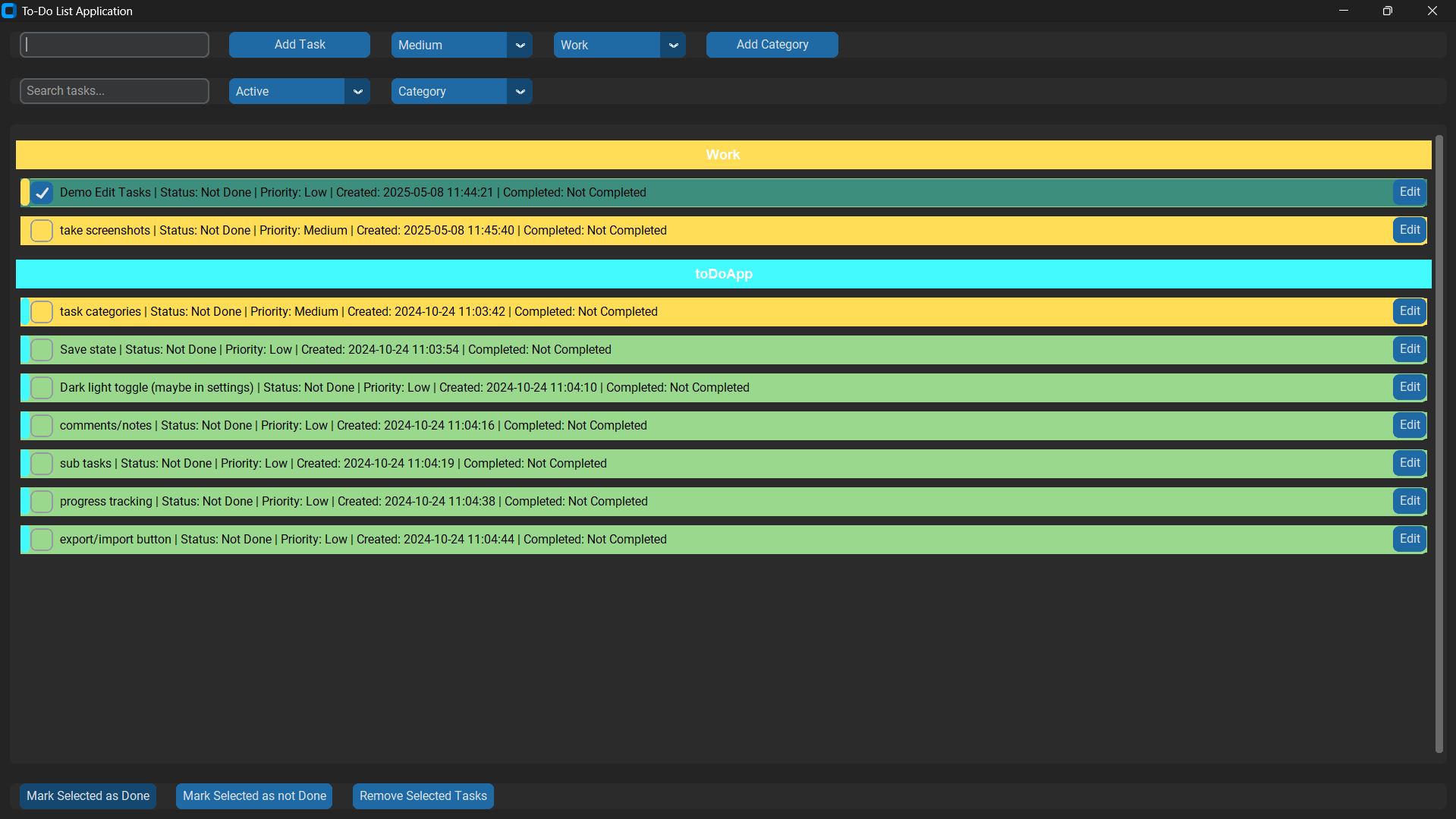
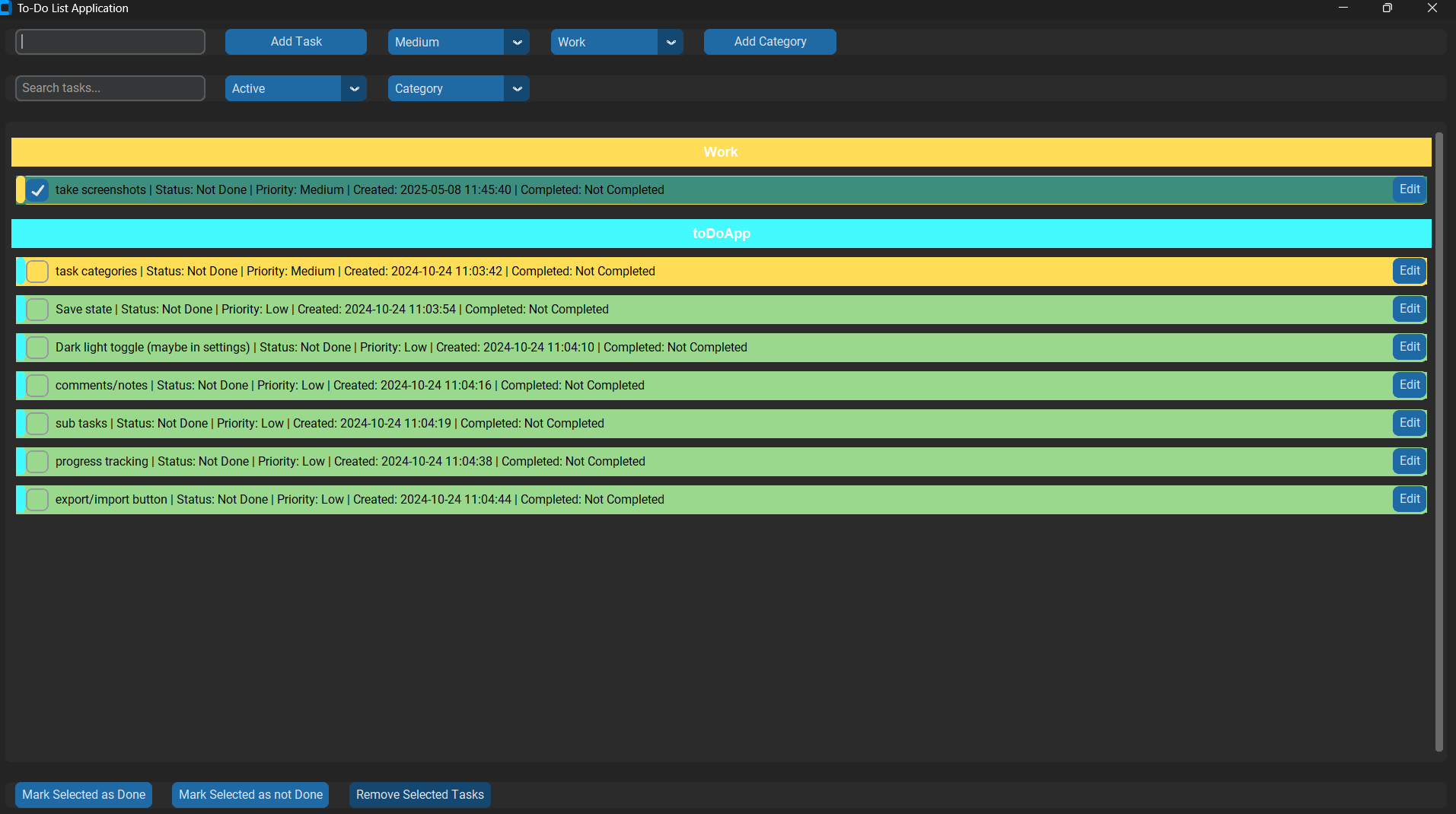
🔍 Feature Highlight: Dynamic Category System with Custom Colors
Create and manage task categories with custom color coding, allowing for visual organization of tasks. Each category gets its own color identifier which makes scanning and identifying tasks easier at a glance.

Technologies Used
Contribution Stats
Commits
0
Files Changed
0
Additions
+0
Deletions
-0
Key Features
- ✓ Task management with priority levels (High, Medium, Low) and visual indicators
- ✓ Custom categories with color coding and category-based organization
- ✓ Multiple filter options including by completion status, category, or priority
- ✓ Search functionality to quickly find specific tasks
- ✓ Persistent storage with JSON for tasks, categories, and user preferences
About the Project
This To-Do List application was developed to combine functionality with a modern UI using CustomTkinter. It focuses on user customization and organization features while maintaining a clean interface. The app automatically saves user preferences and tasks between sessions and provides multiple ways to sort, filter, and manage task lists.
My Improvements & Code Changes
Task Creation with Priority and Category
Tasks are created with metadata including priority level, category assignment, timestamps, and completion status. This provides rich context for each task and enables advanced filtering and sorting.
def add_task(self):
    task_text = self.task_entry.get()
    priority = self.priority_var.get()  # Get the selected priority
    category = self.category_var.get()
    if task_text:
        new_task = {
            "task": task_text,
            "done": False,
            "created": datetime.now().strftime("%Y-%m-%d %H:%M:%S"),
            "completed": None,
            "priority": priority,  # Include the selected priority
            "category": category
        }
        self.tasks.append(new_task)
        self.save_tasks()
        self.task_entry.delete(0, 'end')
        self.update_task_list()
Custom Category System with Color Selection
Users can create custom categories with color identifiers. This implementation uses the colorchooser dialog to let users select colors visually and associates them with categories for better task organization.
def add_category(self):
    category_name = simpledialog.askstring("New Category", "Enter the category name:")
    if not category_name:
        return

    colour = colorchooser.askcolor(title="Choose category color")[1]
    if not colour:
        return

    self.categories[category_name]=colour
    self.category_menu.configure(values = list(self.categories.keys()))
    self.save_categories()
Advanced Task Filtering and Sorting
The application supports multiple ways to organize tasks including filtering by completion status and sophisticated sorting options. This provides users with flexibility in how they view and manage their task list.
def update_task_list(self):
    priority_order = {"High": 1, "Medium": 2, "Low": 3}
    # Clear the existing task frames
    for widget in self.task_list_frame.winfo_children():
        widget.destroy()

    # Get the current filter setting
    filter_value = self.filter_var.get()

    # Determine which tasks should be displayed based on the filter
    if filter_value == "Active":
        filtered_tasks = [(i, task) for i, task in enumerate(self.tasks) if not task['done']]
    elif filter_value == "Completed":
        filtered_tasks = [(i, task) for i, task in enumerate(self.tasks) if task['done']]
    else:
        filtered_tasks = [(i, task) for i, task in enumerate(self.tasks)]
    if self.search_query:
        filtered_tasks = [(i, task) for i, task in filtered_tasks if self.search_query in task['task'].lower()]
    # Sort tasks based on the user's preference
    sort_options = {
        "Creation Date": lambda x: x[1]["created"],
        "Completion Status": lambda x: (x[1]["done"], x[1]["completed"] if x[1]["completed"] else ""),
        "Task Name": lambda x: x[1]["task"].lower(),
        "Priority": lambda x: (priority_order[x[1].get("priority", "Medium")], x[1]["task"].lower()),
        "Category": lambda x: x[1].get("category", "Uncategorized"),
    }

    # Get the appropriate sorting function based on user selection
    sort_key = sort_options.get(self.sort_var.get(), lambda x: x[1]["created"])
    filtered_tasks.sort(key=sort_key)
Persistent User Configuration
The application saves user preferences including default priority, category, window size, and sorting preferences across sessions. This creates a personalized experience where the app remembers how each user prefers to work.
def save_config(self):
    data = {
        "priority":self.priority_var.get(),
        "category":self.category_var.get(),
        "show_category_colors": True,
        "sorting_preference": self.sorting_preference,
        "filter_value":self.filter_var.get(),
        "window_size":{
            "width":self.winfo_width(),
            "height": self.winfo_height()
        },
        "appearance_mode": "Dark",
        "color_theme": 'dark-blue'

    }
    with open(self.config_path, 'w') as file:
        json.dump(data, file, indent=4)
Implementation Details
In this project, I've focused on enhancing the user experience and adding functionality that makes the budget tracker more powerful and useful for daily financial management. Below are some of the key implementation details:
Dynamic UI Elements with CustomTkinter
The application leverages CustomTkinter to create a modern, visually appealing interface with dark mode support. CustomTkinter extends traditional Tkinter widgets with improved styling capabilities and modern UI elements. The entire UI is structured to be responsive and intuitive, with task frames that update dynamically based on user interactions. Each component has been carefully designed to provide visual feedback, like using color coding for priority levels and categories.
Multi-level Task Organization System
Tasks are organized using a sophisticated system with three key dimensions: 1. Category-based organization: Tasks can be assigned to user-defined categories, each with its own color identifier. 2. Priority-based indicators: Tasks are visually marked with different colors based on their priority level (High, Medium, Low). 3. Completion status organization: Tasks can be filtered by their completion status, allowing users to focus on active tasks or review completed ones. This multi-dimensional approach gives users flexibility in how they organize and view their tasks, adapting to different workflow preferences.
Task Selection and Batch Operations
The application implements a selection system that allows users to perform batch operations on multiple tasks. This is implemented using a set data structure (self.selected_tasks) to track which tasks are currently selected. Users can select multiple tasks and then perform operations like: - Marking multiple tasks as done/undone in one click - Deleting multiple tasks simultaneously - Visually highlighting selected tasks with different styling This implementation significantly improves efficiency when managing larger task lists.
Persistent Storage Architecture
The application uses a structured JSON-based storage system with three key components: 1. Task Storage (toDoGui.json): Stores all task data including metadata like creation time, completion status, priority, and category. 2. Category Storage (category.json): Stores user-defined categories with their associated colors. 3. Configuration Storage (config.json): Stores user preferences and application settings. This separation of concerns makes the data structure clean and maintainable. The application loads these files on startup and saves changes in real-time, ensuring that user data and preferences persist between sessions. File paths are managed carefully to account for different execution contexts, using os.path.join to create platform-independent paths.